How to Make Money on Facebook?
Süper Fırsatlar sizin elinizde!
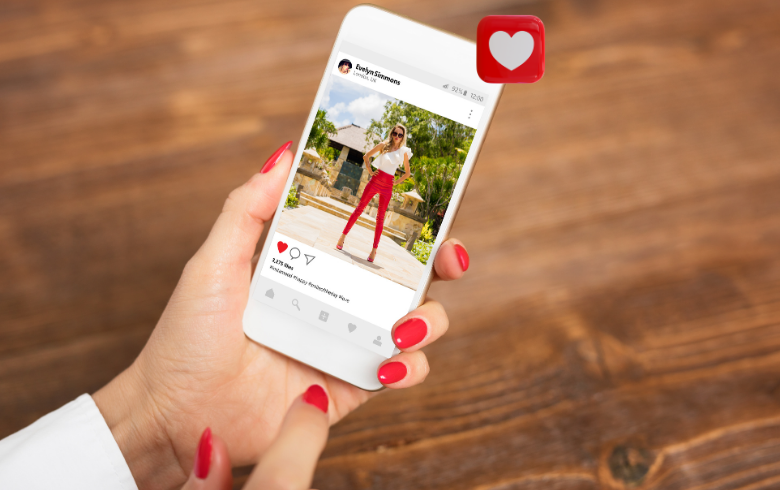
It happens when you least expect it. You are happily scrolling through your feed on a Tuesday evening, double-tapping on pictures of your friend’s new puppy, dropping fire emojis on cool travel shots, and maybe following a few new interesting accounts. You are on a roll.
Then, suddenly, everything grinds to a halt.
You try to like a photo, and a jarring pop-up appears on your screen: "Action Blocked." It usually comes with a scary-sounding message saying something like, "This action was blocked. Please try again later."
Panic sets in. Did you get hacked? Are you banned for life? What did you even do wrong?
Welcome to Instagram jail, my friend. It is incredibly frustrating, feeling a bit like being put in time-out by a digital babysitter. But don't worry, your account isn't gone forever. This is a very common issue that happens to the best of us, usually because we got a little too enthusiastic with our engagement. If you are currently staring at that annoying pop-up, this guide is going to walk you through exactly what happened and, more importantly, how to fix "Action Blocked" on Instagram so you can get back to your scrolling habits.
Before we dive into the solutions, it helps to understand what is actually happening behind the scenes.
An "Action Blocked" message is not a permanent ban. You can still log in, you can still look at photos, and people can still see your profile. What you can't do is perform specific actions—these are verbs like "liking," "commenting," "following," or "unfollowing."
Think of Instagram’s algorithm as an overly sensitive security guard. Its entire job is to keep the platform free of spam, bots, and automated accounts. When you perform too many actions too quickly, you trip the security sensors. To the algorithm, you suddenly stopped behaving like a human and started behaving like a robot programmed to spam engagement.
The block is Instagram's way of saying, "Whoa there, slow down. You look suspicious." It is a temporary restriction designed to slam the brakes on potential spam activity.
You might be thinking, "But I'm not a bot! I'm just supportive!" I believe you. But Instagram's AI doesn't know you personally. Knowing how to fix "Action Blocked" on Instagram starts with knowing what triggered it.
Here are the most common reasons you landed in this predicament.
This is the number one culprit. Instagram doesn't publish their exact limits (because then real spammers would just program their bots to stay just under them), but they absolutely exist. There are hourly and daily caps on how many photos you can like, how many comments you can leave, and how many people you can follow or unfollow.
If you just went on a liking spree—double-tapping 300 photos in ten minutes—you almost certainly hit an hourly limit. The platform sees this rapid-fire activity as unnatural.
Be very honest: did you use an app that promised to get you more followers, track who unfollowed you, or automatically like photos based on hashtags?
If yes, this is almost certainly why you are blocked. Instagram hates these unauthorized third-party apps. You gave them your login credentials, and they are using your account to perform actions in the background, often aggressively violating Instagram's terms of service. This is a massive red flag for their security systems.
Are you commenting "Great pic! 🔥" on fifty different posts in a row? If you are copy-pasting the exact same text or emoji string repeatedly, you look like a spam bot. Humans vary their language; bots repeat things.
If your account is brand new (less than a month or two old), your "trust score" is low. Instagram’s leash is much tighter on new accounts. Activity levels that would be perfectly fine for a five-year-old account might trigger an "Action Blocked" on a two-week-old account.
Okay, you know why you are here. Now let's get you out. There is no magic button that instantly lifts the ban, but these steps have proven to be the most effective ways to resolve the issue.
This is the advice nobody wants to hear, but it is the most important. When you see that block message, stop trying to do the blocked action.
Every time you try to like a photo and get the pop-up again, you are resetting the timer on your block. You are effectively proving to the algorithm that you are not listening to its warning.
The standard block lasts anywhere from 24 to 48 hours. The best first step in learning how to fix "Action Blocked" on Instagram is to close the app and walk away for a full day. Let the system cool down.
Sometimes, Instagram hasn't blocked your account, they have blocked your IP address. This often happens if multiple people on the same WiFi network are using Instagram heavily.
Try this: Turn off your phone's WiFi and switch to cellular data. Close the Instagram app completely (swipe it away) and reopen it using only 4G/5G. Try a single like. If it works, your IP was the issue.
If you have ever used an unfollow tracker or an automation tool, you need to revoke its access immediately. Even if you deleted the app from your phone, it might still have a token to access your account on Instagram’s server side.
Go to your Instagram profile and tap the three lines in the top right corner.
Go to Settings and privacy.
Search for or scroll down to Website permissions or Apps and websites.
Look at the "Active" tab. If you see any app there that isn't something reputable (like TikTok or Spotify linking), remove it immediately.
Bots usually don't have interconnected social lives. You can increase your account's "trust score" by linking it to other established platforms.
Go into your settings and link your Instagram account to your Facebook page or Twitter account. This signals to Instagram that there is a real human behind the profile, which can sometimes speed up the unblocking process.
When the pop-up appears, it sometimes has a button that says "Tell Us" if you think it's a mistake. You can tap this once.
However, don't spam this button. It sends a manual review request to Instagram support. It rarely results in an instant fix, but it logs a ticket that you believe the block was made in error.
Once the block is lifted, do not go right back to your old habits, or you will be blocked again within hours—and the second block will last longer.
The key to preventing this is simple: act like a human.
Slow down. Instead of mindlessly liking hundreds of photos, spend time looking at ten photos and leave thoughtful comments on them. Type out your comments instead of relying on copy-paste. Don't use automation tools.
Learning how to fix "Action Blocked" on Instagram is mostly a lesson in patience. It is incredibly annoying, but it almost always resolves itself in a day or two if you just stop poking the bear. Take a break, let the algorithm calm down, and you'll be back to double-tapping soon enough.
Our most popular services on social media
Enter your order code!
If you experience delivery issues with your guaranteed orders, you can quickly request a replacement.

A single post can touch thousands of hearts.
Log in to your account now and start enjoying the benefits.
Not a member? Sign Up