
How to Make Money on Facebook?

 Fatih
Fatih
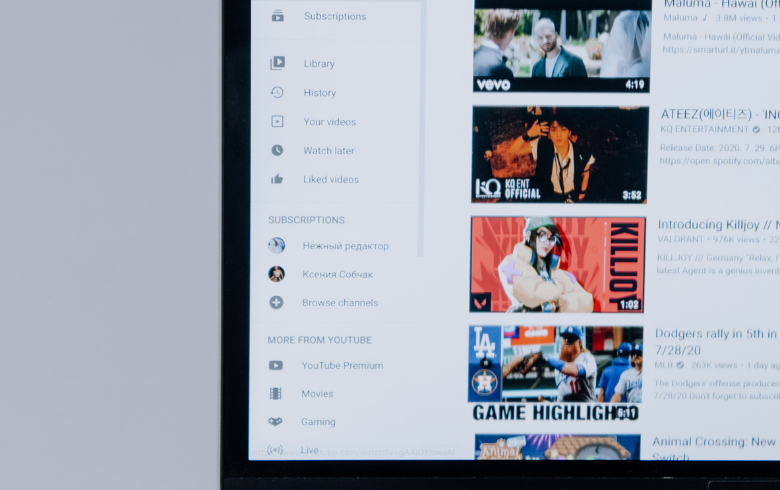
You have spent hours researching, scripting, filming, and editing a comprehensive long-form video. It performs reasonably well on your channel, but after a few weeks, the initial view count starts to plateau. Instead of immediately jumping onto the content treadmill to create your next piece from scratch, there is a far more efficient path. Learning How to Repurpose Long-Form Videos into Shorts allows you to extract maximum value from existing footage, expand your reach across vertical feed algorithms, and attract brand-new audiences to your channel.
Short-form platforms like YouTube Shorts, Instagram Reels, and TikTok thrive on quick, high-impact storytelling. By systematically mining your long-form library for engaging moments, you can build a sustainable, highly scalable content engine.
Not every segment of a twenty-minute video makes a great vertical clip. Understanding How to Repurpose Long-Form Videos into Shorts starts with identifying standalone moments that deliver value without requiring extensive background context.
Log into your video analytics dashboard and look closely at your audience retention graphs. Look for specific visual indicators:
Retention Spikes: Peaks in your retention graph indicate moments where viewers rewatched a segment, paused, or shared the clip. These are prime targets for short-form clips.
Self-Contained Insights: Look for 30-to-60-second segments where you answer a specific question, share an interesting anecdote, or explain a single actionable tip.
High-Emotion Moments: Emotional reactions, humorous blunders, surprising reveals, or intense debates naturally grab attention in fast-scrolling feeds.
The biggest difference between long-form and short-form content is the timeline for capturing attention. In a traditional horizontal video, you have 10 to 15 seconds to introduce your topic. In vertical feeds, you have roughly 1.5 seconds before a viewer swipes away.
When trimming your selected long-form segment, cut out all conversational fluff, intro screens, or background context.
The First 3 Seconds (The Hook): Start immediately with the most surprising statement, the final result, or a provocative question.
The Core Body (The Payload): Keep the middle focused tightly on delivering the promised value or punchline without tangents.
The Call to Action (The Transition): Instead of telling viewers to "like and subscribe," direct them to watch the full-length original video linked in the Short's pinned comment or related video tab.
Converting 16:9 widescreen footage into a 9:16 vertical canvas requires careful cropping to keep the main focus centered. Simply placing black bars at the top and bottom of your screen creates an unengaging, zoomed-out visual that looks lazy.
Dynamic Pan and Scan: Keyframe your video scale to keep your face or primary subject centered as you move across the frame.
Split-Screen Stacking: If your long-form video features an interview, stack the host on the top half of the screen and the guest on the bottom half.
B-Roll Overlay: Layer relevant high-definition vertical graphics, screen recordings, or stock footage over static talking-head moments to maintain visual momentum.
| Editing Approach | Visual Layout | Ideal Content Type | Conversion Effort |
| Centered Crop | Single subject scaled to fill 9:16 frame | Solo talking-head, podcasts, solo tutorials | Low |
| Split-Screen Stack | Two 16:9 boxes stacked vertically | Interviews, co-hosted shows, reaction videos | Moderate |
| B-Roll Layering | Primary audio over dynamic vertical visuals | Complex explanations, storytelling, listicles | High |
A massive percentage of users scroll through vertical video feeds with their device sound turned completely off. If your clip relies entirely on spoken audio without visual text reinforcement, you lose half your potential audience immediately.
Use automated caption tools available in video editors to generate dynamic, word-by-word subtitles. Highlight key phrases in bright colors (such as yellow, green, or cyan) to keep the viewer's eyes anchored to the center of the screen.
Long-form audio tracks often feature quiet room tone or distant mic setups. Compress your audio track, boost the overall volume levels, and add subtle background music tracks native to the short-form platform to give your clip a modern, high-energy polish.
"Repurposing is not simply slicing up old footage; it is translating a great idea into the native language of a brand-new video format."
The primary business goal of mastering How to Repurpose Long-Form Videos into Shorts is audience conversion. You want short-form viewers to enjoy the quick clip, recognize your expertise, and click through to watch the full-length original video.
YouTube makes this seamless by allowing creators to link a related video directly inside the Shorts editor settings. When uploading your short clip, select the Related Video option in YouTube Studio and link it to the source video. This places a clean, clickable button at the bottom of the viewer's screen that takes them directly to the full-length masterclass.
Avoid these frequent editing errors that can stall your clip's performance:
Leaving Dead Air at the Start: Never leave even half a second of silence at the very beginning of your vertical clip. Trim right up to the first spoken word.
Overloading One Clip with Multiple Topics: Keep each vertical video strictly focused on a single idea. If a long-form section covers three tips, split it into three separate Shorts rather than rushing through all three in one clip.
Ignoring Platform Safe Zones: Keep text captions and crucial visual elements away from the far right edge and bottom fifth of the screen, where app icons, profile buttons, and video titles overlap your footage.
Learning How to Repurpose Long-Form Videos into Shorts transforms your content creation workflow from a constant strain into a sustainable system. By auditing past videos for retention spikes, cropping for vertical screens, adding high-contrast captions, and linking back to the original source, you breathe fresh life into old uploads. Start digging into your channel archives today, find your top-performing moments, and turn them into a steady stream of engaging short-form content.
Our most popular services on social media

Special 5% discount awaits new members!
BoostGrams was founded in 2015 with the rise of social media.
Special 5% discount awaits new members!
BoostGrams was founded in 2015 with the rise of social media.
Special 5% discount awaits new members!
BoostGrams was founded in 2015 with the rise of social media.

Enter your order code!

If you experience delivery issues with your guaranteed orders, you can quickly request a replacement.


A single post can touch thousands of hearts.
Log in to your account now and start enjoying the benefits.
Not a member? Sign Up